Building and Flying Related Boards › Flying Stories
Air pictures from wing camera
30 posts
RicardoApril 14, 2013, 11:49pm
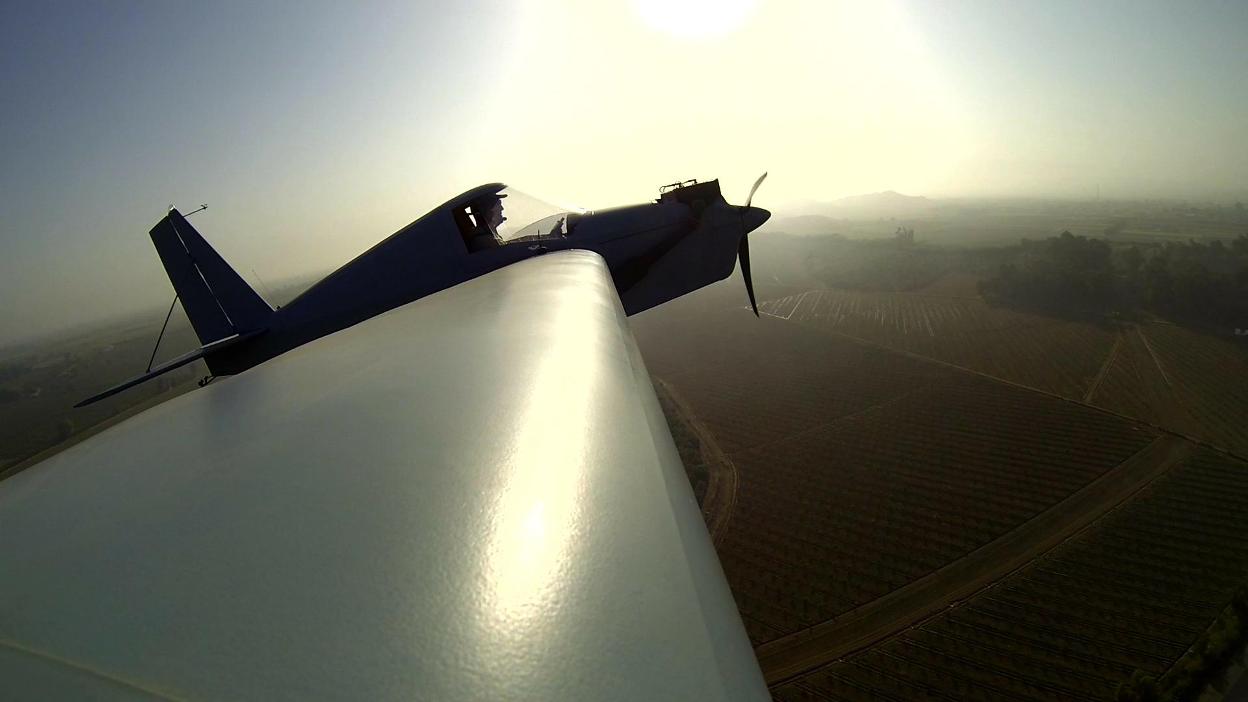
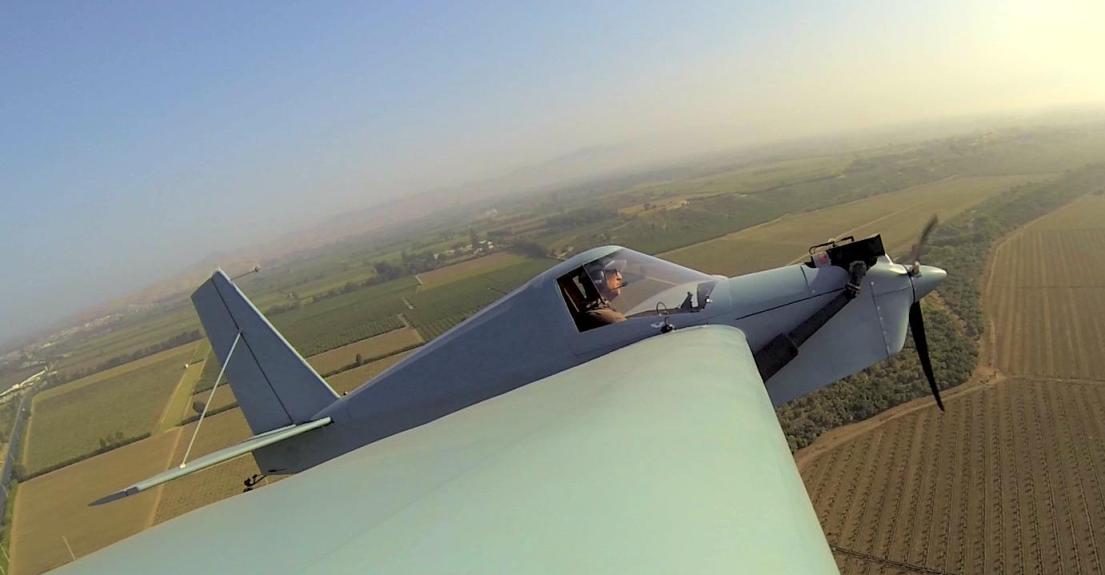
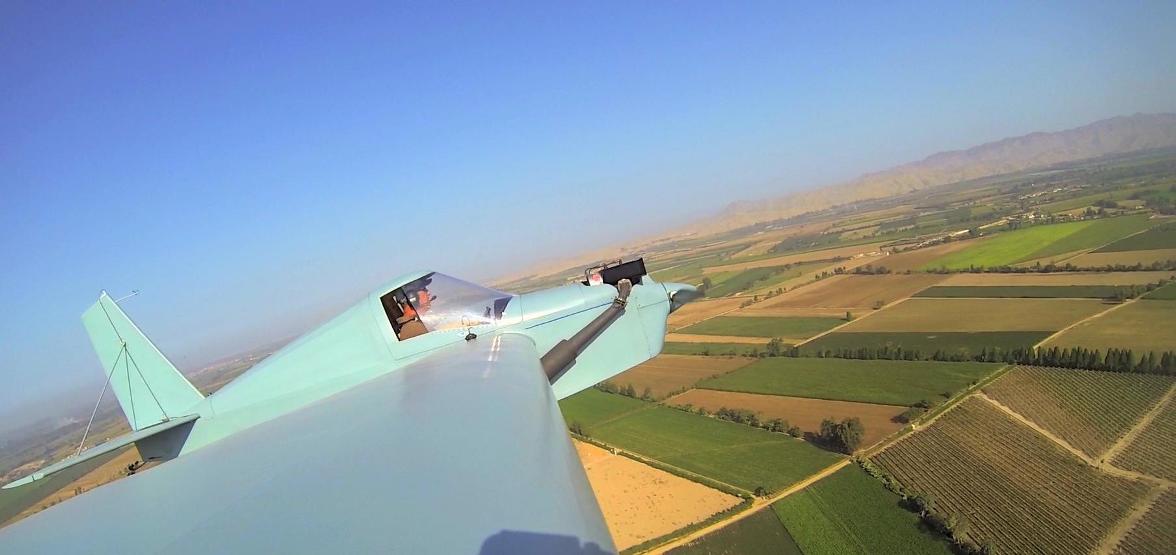
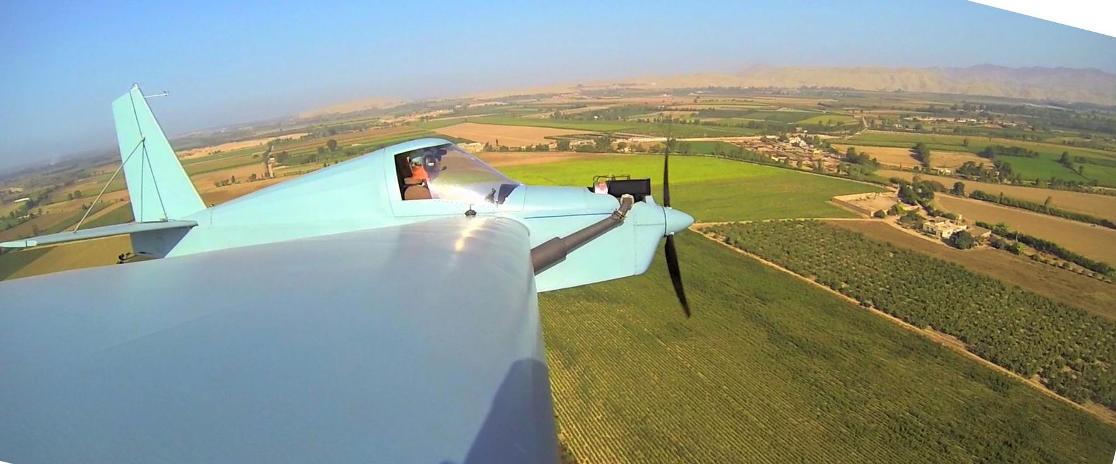
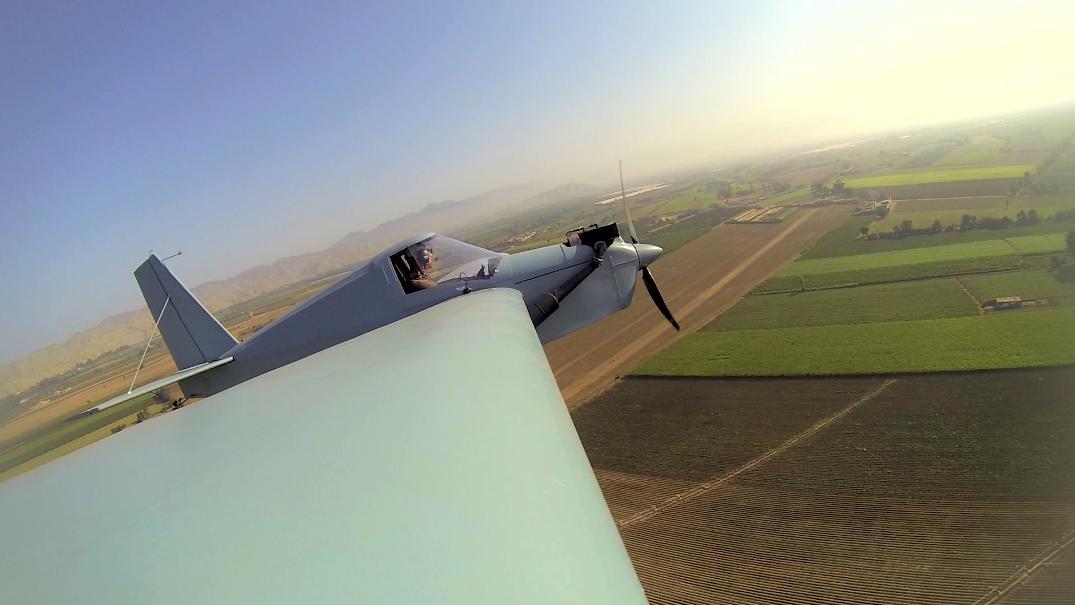
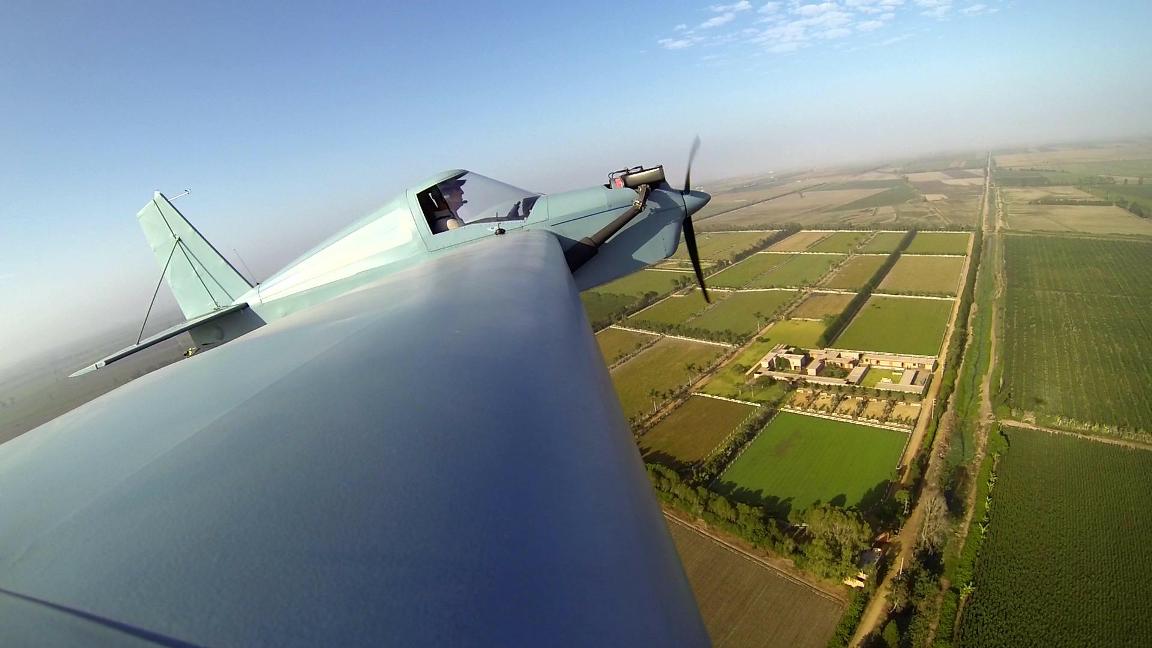
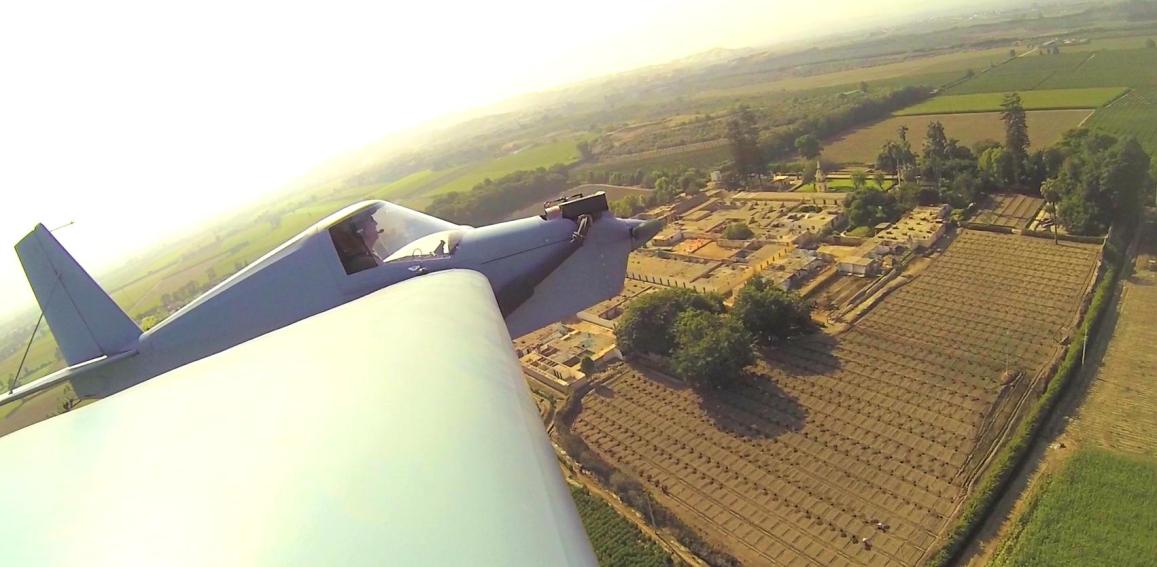
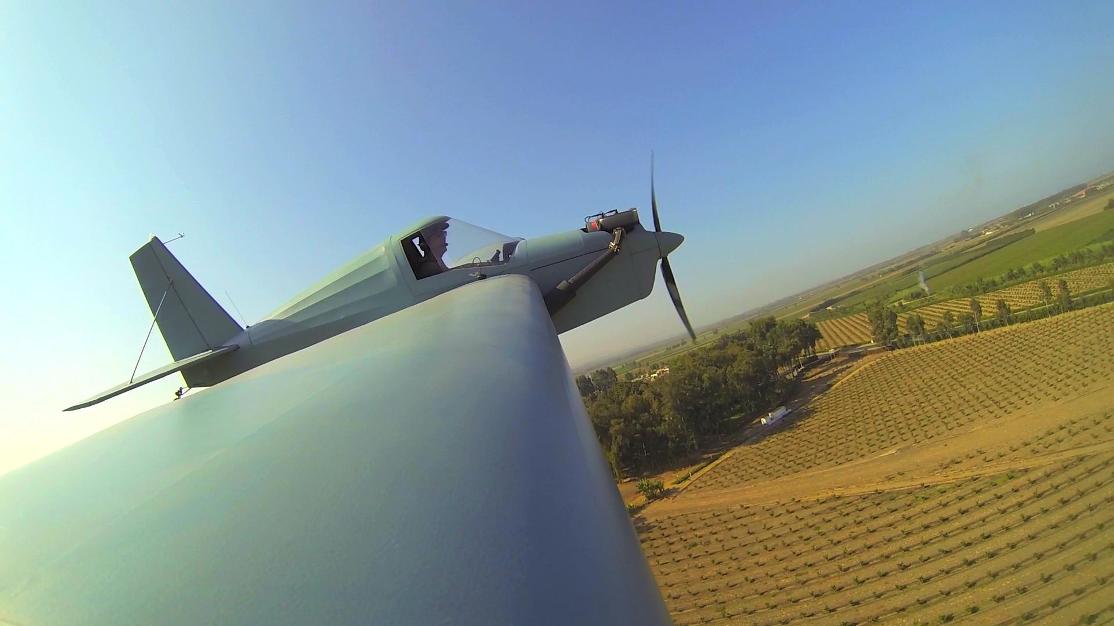
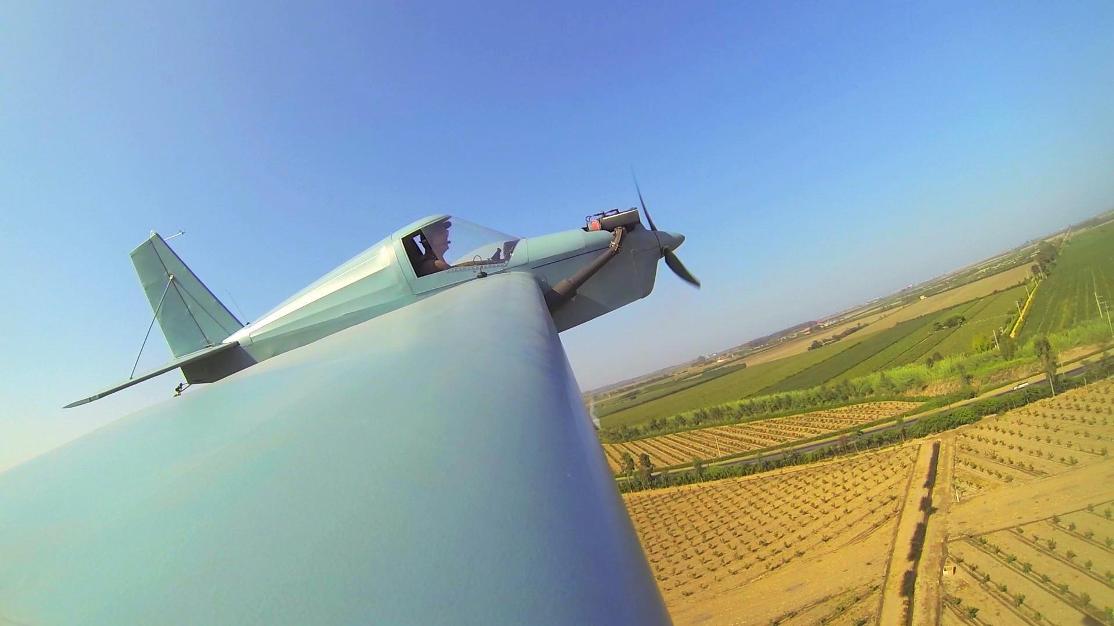
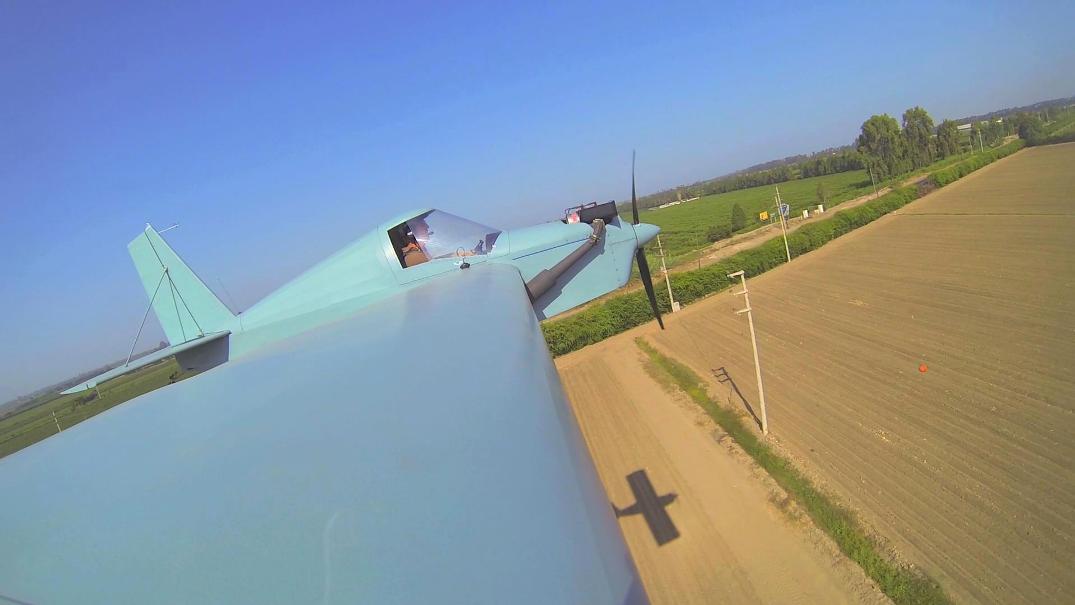
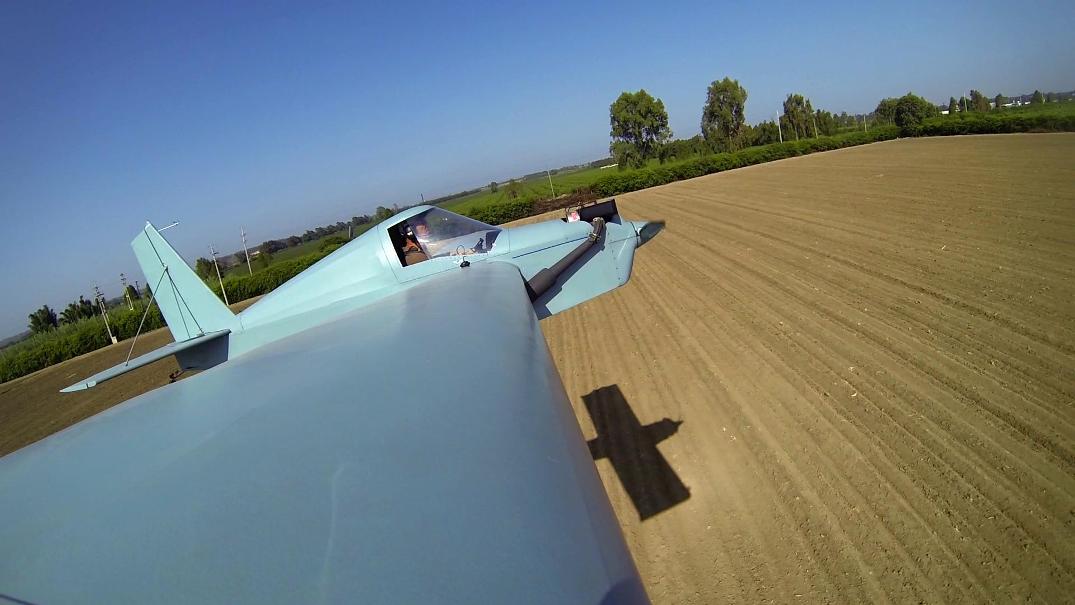
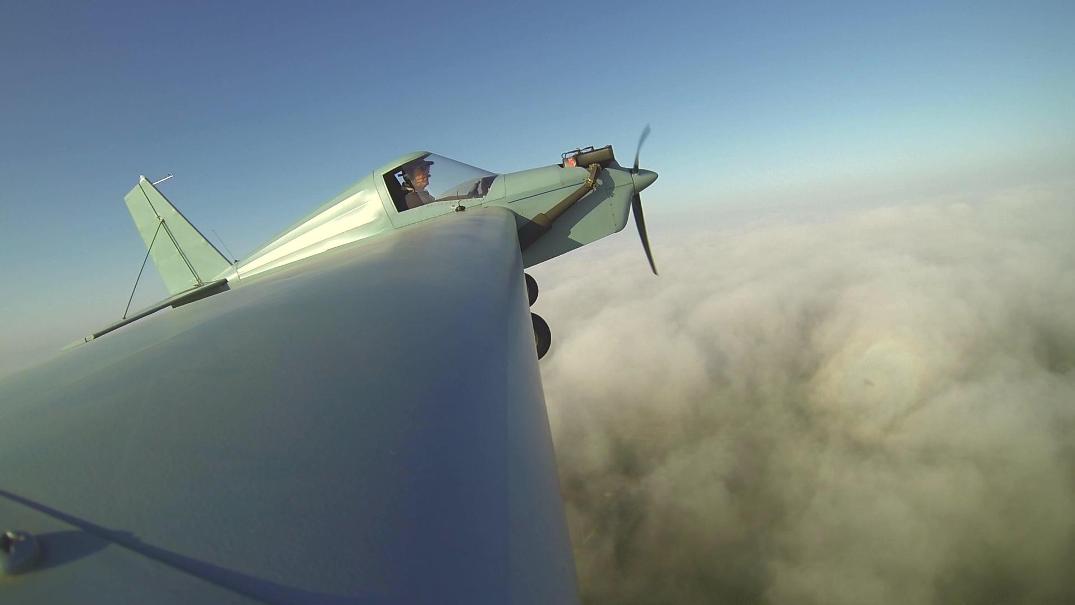
A 7:30 am flight, fog was already gone. Pictures were taken from a video. I'll try to post the entire video on u-tube, it has a very sharp resolution.
I hope you like it.
nschmokerApril 15, 2013, 1:40am
That short stubby wing sure did get awful long, all the sudden.
RedBirdApril 15, 2013, 3:01am
Very cool Ricardo. Your posts have me itchin to get N27KL back flying. Thanks!
Why focus on proving how great you are, when you could focus on becoming better?...
fiebichpvApril 15, 2013, 3:36am
Oh man, what cool photos Ricardo! The sequential shots are great; rising up through the fog and then watching the countryside evolve. Very nice. I bet you were having a great time.
Paul Fiebich
Arthur WithyApril 15, 2013, 10:49am
great Photos Ricardo...what type pf camera..?
aeronutApril 15, 2013, 11:25am
WOW those are awesome pictures. Thanks or posting them.
never surrender; never give-up
RicardoApril 16, 2013, 1:53am
Thank you guys. The camera is a GoPro and I just posted a HD short video on u-tube, Awesome resolution.
http://www.youtube.com/watch?v=dnWbNQSEy3E&feature=youtu.beKenLApril 16, 2013, 5:21am
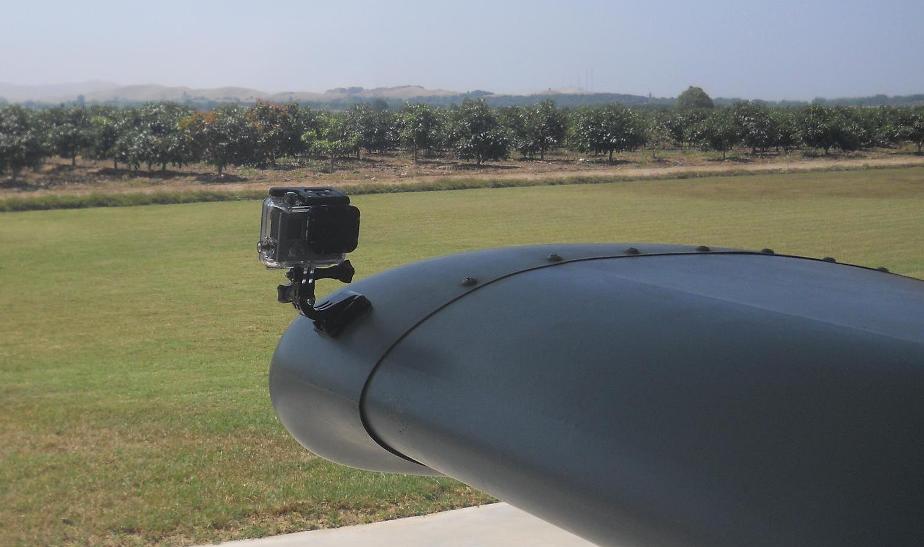
Very cool Ricardo. Any chance you could post a photo of how you got the GoPro mounted? I'm seriously considering one, but I've always wondered how guys attach them to airplanes without losing them, or damaging the aircraft surfaces.
KenLApril 16, 2013, 5:26am
Just watched the video. Man it looks like you're really cooking! Strange how in the audio you can hear the engine, but no wind noise? I would have expected a ton of wind noise overriding everything else. I need to get me one of those cameras!
aeronutApril 16, 2013, 11:03am
Thats a really cool video; you can see your shadow through much of the video and it is well defined and yet at the same time the camera was focused on you cockpit area. Could you post a picture of the camera and how you mounted it? Please.
never surrender; never give-up
RedBirdApril 17, 2013, 6:10am
Quoted from KenL
Very cool Ricardo. Any chance you could post a photo of how you got the GoPro mounted? I'm seriously considering one, but I've always wondered how guys attach them to airplanes without losing them, or damaging the aircraft surfaces.
Kenny... I am confused... I thought the issue you had was losing airplanes... not attachments to them...
Why focus on proving how great you are, when you could focus on becoming better?...
RedBirdApril 17, 2013, 6:16am
Quoted from Ricardo
Thank you guys. The camera is a GoPro and I just posted a HD short video on u-tube, Awesome resolution.
http://www.youtube.com/watch?v=dnWbNQSEy3E&feature=youtu.be
Ricardo, this has to be one of the best flying video clips on youtube. Almost like having a wingman doing the shooting...
When I was working on RedBird (himax) last summer I was contemplating putting a camera on the wing strut for a sort of similar angle, but below the wing, and maybe pointed forward a little more using the back strut. Not sure how different it would be; but your video gets me excited about the idea again. It really provides a great sense of flying a max. Thanks so much for posting it.
Why focus on proving how great you are, when you could focus on becoming better?...
RicardoApril 17, 2013, 7:19pm
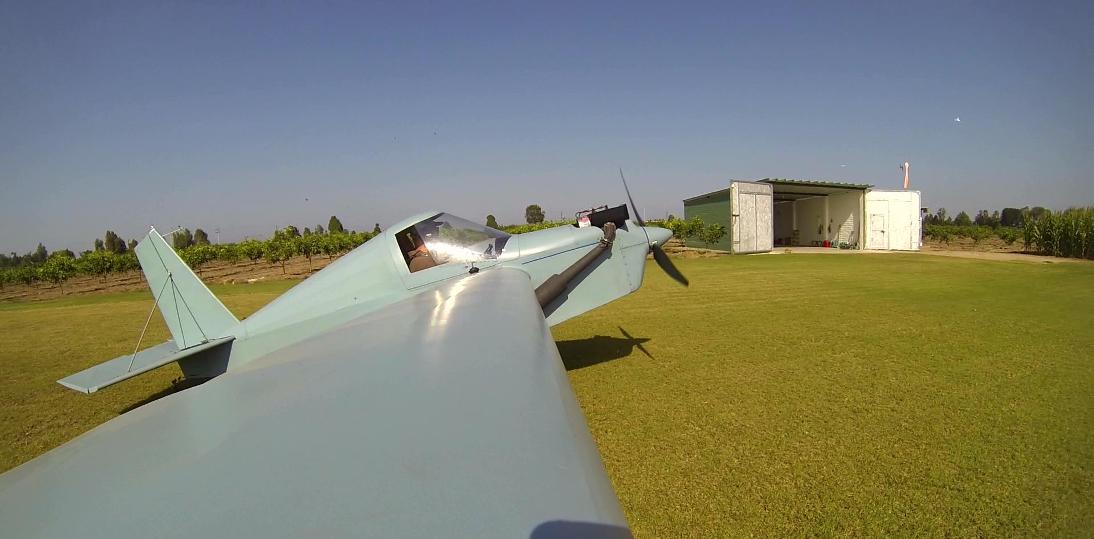
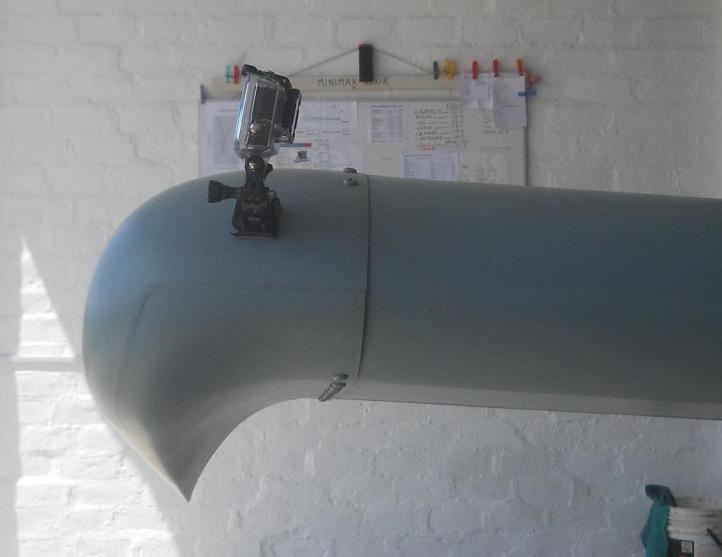
Here's the camera on the wing, it has a 3M sticker on the base that keeps the frame very firm to the surface. There's also a small wire(missing in the pic) that holds the camera to the wing in case the sticker fails, so you don't loose the camera.
(unknown)April 17, 2013, 8:25pm
Fantastic .video and pictures Ricardo. Many thanks made my day . Weather is improving in the Uk . be up and at em soon, blue skys , wind on your tail stay safe .
aeronutApril 17, 2013, 8:33pm
Ricardo thanks for the pictures of your camera and mounting system. It looks very uncomplicated and in my book KEEP IT SIMPLE STUPID is the way to go. It sure does a nice job.
never surrender; never give-up
KenLApril 18, 2013, 1:54am
Quoted from RedBird
Kenny... I am confused... I thought the issue you had was losing airplanes... not attachments to them...
Yeah I might have worded that wrong. I'd need to mount an airplane to my camera!
KenLApril 18, 2013, 2:00am
Quoted from Ricardo
Here's the camera on the wing, it has a 3M sticker on the base that keeps the frame very firm to the surface. There's also a small wire(missing in the pic) that holds the camera to the wing in case the sticker fails, so you don't loose the camera.
Wow, that little setup holds better than I would have thought!
RicardoApril 20, 2013, 2:22pm
This picture from yesterday, over a thin fog which comes from the ocean and dissapears during the morning.
Also a short HD video doing a 360, you can see the fog far behind.
http://www.youtube.com/watch?v=BohzAq3cM2o&feature=youtu.beHarless GreearApril 20, 2013, 4:20pm
RICARDO, What resolution are you using on the video???????????
HARLESS in Va.
RicardoApril 21, 2013, 12:02am
Quoted from Harless Greear
RICARDO, What resolution are you using on the video???????????
The camera film is 1080 for the video but on UTube a 720 setting is enough
KenLApril 30, 2013, 3:25am
Ricardo, my wife is angry with you... but I have a GoPro camera now! Tell me, what do you use to view and edit your videos? I have upgraded my computer to 4gb of RAM and bought some fancy video card but the video I took with the camera attached to my 4-wheeler is very choppy. Is there a good (and cheap!) program that's easy to use for video editing? I'm not good with computers, so talk slow.
EDIT: I got something called "VLC" and it is the only thing I got that will actually play the video.
RedBirdApril 30, 2013, 6:12am
Quoted from KenL
Ricardo, my wife is angry with you... but I have a GoPro camera now! Tell me, what do you use to view and edit your videos? I have upgraded my computer to 4gb of RAM and bought some fancy video card but the video I took with the camera attached to my 4-wheeler is very choppy. Is there a good (and cheap!) program that's easy to use for video editing? I'm not good with computers, so talk slow.
EDIT: I got something called "VLC" and it is the only thing I got that will actually play the video.
Kenny,
Bet that demo flight you performed 6-8 months ago would have been cool on the gopro... although I'm kinda glad you did not have it back then... Looking forward to some T-bird flight video's though...
I will admit - Ricardo's videos and pics are very, very inspiring... Actually part of what finally got my butt to the airport this weekend to prep N27KL... Again, thank you Ricardo!...
Why focus on proving how great you are, when you could focus on becoming better?...
RicardoApril 30, 2013, 1:27pm
Ken:
A video program where you can edit the movie is called Quick Time Player, you can also stop the movie click right bottom and a get picture copy. This is what I did. There's a free version but you can't edit with that. Try it first and become familiar with it, they buy the pro option, you'll be able to cut and paste as you wish, when you "save" your edition it becomes a movie than can post on u-tube. It is inexpensive and you'll never regret buying it. This program doesn't require as much memory as VLC to run your movies at normal speed.
I also downloaded VLC but is only for personal use and as far as I know you can't cut the movie for edition, otherwise you can sharpen image (not necessary with the GoPro) adjust colors, etc. Best feature is you can slow down the movie at several speeds by just clicking the minus key. When you slow down the movie you can see it with no interuptions otherwise you need a very efficient PC. You can also get pictures from VLC by: stop the movie, click the "Video"window, then click the last option where it reads "Capture image" or something, In order to find the picture you have to go to disk " D" in your PC , Documents and Settings, your personal file and then "My images", saved pictures should be at the very end.
Once you start taking family movies your wife will love your camera.
Any more question just ask...I have the time to answer.
R
KenLMay 1, 2013, 3:14am
Quoted from RedBird
Kenny,
Bet that demo flight you performed 6-8 months ago would have been cool on the gopro... although I'm kinda glad you did not have it back then... Looking forward to some T-bird flight video's though...
I stuck the Tbird on Barnstormers. I got it almost ready to fly, so someone better buy it before I fly it and get attached to it LOL. I need to move either it, or my 150. There will be videos soon though, once Ricardo gets done educating me.
KenLMay 1, 2013, 3:27am
OK Ricardo, I have Quicktime, but the video is reeeeallyyy choppy with it. I found a place where you can make it run half speed, and it's a little better. If I have the "pay" version of Quicktime, would it be any smoother? I have all the memory that GoPro says my computer needs to play the videos, so I'm wondering why I have to slow them down to play the video I made?
I see in the Quicktime tabs at the top, that there are options that say PRO beside them that are deactivated. I'm guessing if I had the pay version, then those are the options that will be available, and they can be used to edit the video? If so, I hope it's easy to figure out by just messing with it, because I don't know what any of that stuff means lol...
AvengerMay 1, 2013, 2:26pm
have you tried the video on someone elses computer? send me a clip and I will see how it runs on mine... email it to avenger@cox.net. I have a number of video programs here since I do video work.
The light at the end of the tunnel has been sold to China, if you need the light at the end of the tunnel please send 100 Yen.
KenLMay 2, 2013, 1:57am
Bill, the file is like 900 and something mb and it won't let me send it. I'll see if I can find a way to cut it down, but I don't think I have that ability with the programs I have. And I don't have another computer here to try to play it on.
RicardoMay 2, 2013, 6:00am
Quoted from KenL
OK Ricardo, I have Quicktime, but the video is reeeeallyyy choppy with it. I found a place where you can make it run half speed, and it's a little better. If I have the "pay" version of Quicktime, would it be any smoother? I have all the memory that GoPro says my computer needs to play the videos, so I'm wondering why I have to slow them down to play the video I made?
I see in the Quicktime tabs at the top, that there are options that say PRO beside them that are deactivated. I'm guessing if I had the pay version, then those are the options that will be available, and they can be used to edit the video? If so, I hope it's easy to figure out by just messing with it, because I don't know what any of that stuff means lol...
The Quicktime Pro version will not solve that problem and yes all the deactivated options will become available.
You learn by playing around,is not that difficult- I can help a little but I don't know all of it either-
The slowness or interruption has to do with the video memory on your PC or the maybe the prossesor is too old. Ask some one who knows about PC's how to update or adjust your computer for that purpose.
The VLC program will play your video if you play it at a very low speed.
To watch your videos else where, pull out the GoPro video memory card and tested in a computer store, you can also watch the video on those new TV sets that have card slots.
KenLMay 3, 2013, 2:35am
Quoted from Ricardo
You learn by playing around,is not that difficult
That's what I needed to hear!
I bought a cable to hook the camera to my TV tonight and it worked! At normal speed! Makes me want to go out and do some more videos, but the weather is horrible lately. I'm going to go see if I can remember my youtube password and try to upload the video.
KenLMay 3, 2013, 2:45am
306 minutes to upload it to youtube lol... Screw it!